
Black & Decker Waffle Maker Instructions: A Comprehensive Guide
This guide details preparing, baking, and removing waffles, operating temperature controls, cleaning, storage, and safe disposal of your Black & Decker appliance.
Understanding Your Black & Decker Waffle Maker
Your Black & Decker waffle maker is designed for convenient and efficient waffle creation, and some models offer versatility as grills and griddles. Familiarizing yourself with its features ensures optimal performance and longevity. Many models, like the 3-in-1, provide expanded cooking options beyond waffles. Understanding the indicator lights and temperature control is crucial for achieving desired browning levels. Proper use, as outlined in the manual, guarantees delicious results and safe operation. Remember to consult the specific instructions for your model, as features may vary.
Identifying Key Parts
Your Black & Decker waffle maker consists of several essential components. Waffle Plates are the surfaces that create the waffle’s shape and texture. The Housing & Handle provide structural support and safe operation, allowing for easy maneuvering. Temperature Control adjusts the heat level for desired browning, while Indicator Lights signal when the unit is heating and ready for batter. Some models feature additional controls for grill or griddle functions. Knowing these parts aids in proper use, cleaning, and troubleshooting, as detailed in the instruction manual.
Waffle Plates
The waffle plates are the heart of your Black & Decker waffle maker, directly impacting the final product. These non-stick surfaces determine the waffle’s shape, thickness, and texture. Models may feature different plate designs – classic, Belgian, or specialty patterns. Proper care is crucial; avoid abrasive cleaners that can damage the non-stick coating. Some models offer removable plates for easier cleaning, while others are fixed. Understanding your specific plate type is key to achieving perfectly cooked waffles and extending the lifespan of your appliance.
Housing & Handle
The housing of your Black & Decker waffle maker encases the internal heating elements and provides structural support. It’s typically made of heat-resistant plastic to ensure safe operation. The handle is designed for a secure and comfortable grip, allowing for easy opening and closing of the waffle maker; Look for a cool-touch handle to prevent accidental burns. Ensure the handle locks firmly into the closed position for proper heating. Regularly inspect both the housing and handle for any signs of damage or wear.
Temperature Control & Indicator Lights
The temperature control dial allows you to select your desired browning level, ranging from light golden to dark and crispy. Indicator lights are crucial for monitoring the waffle maker’s status. A “power” light confirms the unit is receiving electricity, while a “ready” light signals when the optimal cooking temperature is reached. Some models may feature additional lights for specific functions. Always wait for the “ready” light before adding batter, and never leave the waffle maker unattended during operation.
Preparing for First Use
Before enjoying delicious waffles, proper preparation is essential. Begin by cleaning the waffle plates with a damp cloth to remove any manufacturing residue. Some models may require seasoning the plates – check your specific manual for instructions, often involving lightly coating with cooking oil and heating briefly. This creates a non-stick surface. Ensure the unit is completely dry before plugging it in. This initial cleaning and seasoning process ensures optimal performance and prevents sticking during your first use, guaranteeing perfect waffles.
Cleaning the Waffle Plates
Always allow the waffle plates to cool down completely before cleaning to avoid burns. Gently wipe away any excess batter or debris with a soft, damp cloth. For stubborn residue, a non-abrasive sponge or scraper can be used cautiously. Avoid harsh chemicals or scouring pads, as they can damage the non-stick coating. Some models feature removable plates for easier cleaning; consult your manual. Thorough cleaning after each use prevents buildup and ensures consistent waffle quality and longevity of your Black & Decker appliance.
Seasoning the Plates (If Required)
Some Black & Decker waffle maker models may benefit from initial seasoning to enhance the non-stick surface and prevent sticking. If your manual recommends it, lightly brush cooking oil (vegetable or canola) onto the waffle plates. Heat the waffle maker on a low setting for a few minutes, then wipe away any excess oil with a clean cloth. Repeat this process once or twice. This creates a protective layer, improving performance and making subsequent waffle removal easier. Always unplug the appliance before seasoning.
Making Perfect Waffles: Step-by-Step
Achieving golden, fluffy waffles starts with preparation! First, prepare your batter according to your recipe. Ensure the waffle plates are heated and the indicator light signals readiness. Carefully pour the batter onto the lower plate, avoiding overfilling – this prevents overflow. Close the lid gently. Cooking time varies; consult your model’s instructions for optimal browning levels. Monitor the waffle’s progress and remove it when it reaches your desired crispness. Enjoy immediately with your favorite toppings!
Batter Preparation
Successful waffles begin with a well-prepared batter! Follow your preferred recipe, ensuring all ingredients are properly measured and combined. A light and airy batter yields fluffier waffles. Avoid overmixing, as this can develop gluten and result in tougher waffles. Some recipes benefit from letting the batter rest for 5-10 minutes before use. Consider adding a touch of vanilla extract or cinnamon for enhanced flavor. Using a batter pouring cup ensures neat and even distribution onto the hot plates.
Pouring the Batter
Once the waffle maker is heated and the indicator light signals readiness, carefully pour the batter onto the lower waffle plate. Use just enough batter to cover the grid, avoiding overfilling which can cause overflow. A batter pouring cup is highly recommended for precise application and minimizing mess. Distribute the batter evenly across the plate for consistent waffle thickness. Close the lid gently, but firmly, allowing the batter to spread naturally. Do not force the lid closed, as this could damage the appliance.
Cooking Time & Browning Levels
Cooking time varies depending on your desired browning level and the specific Black & Decker model. Generally, waffles take between 3 to 5 minutes to cook; Utilize the temperature control to adjust browning; higher settings yield darker, crispier waffles; The indicator light will often change when cooking is complete, but checking for desired color is best. For even browning, avoid lifting the lid prematurely. Experiment with different settings to find your perfect waffle – from lightly golden to deeply browned and crispy!
Safety Precautions
Prioritize electrical safety: ensure the appliance is unplugged before cleaning and never immerse the base in water. Avoid burns by using the handle and allowing the waffle maker to cool completely before handling hot surfaces. Always exercise caution when operating near hot plates. Supervision around children is crucial; this appliance is not a toy. Never leave the waffle maker unattended during operation. Follow all instructions to prevent hazards and ensure safe waffle-making experiences.
Electrical Safety
To ensure electrical safety, always verify the voltage of your outlet matches the waffle maker’s specifications. Never operate the appliance with a damaged cord or plug – discontinue use immediately and seek repair. Avoid using extension cords if possible; if necessary, use a heavy-duty cord rated for the appliance’s wattage. Unplug the waffle maker from the outlet when not in use and before cleaning. Do not immerse the base in water or any other liquid to prevent shock hazards.
Avoiding Burns
Avoiding burns is crucial when using your Black & Decker waffle maker. The waffle plates and exterior surfaces become extremely hot during operation. Always use oven mitts or heat-resistant gloves when handling the appliance or removing waffles. Do not touch hot surfaces directly. Be cautious of escaping steam, as it can cause scalding. Never leave the waffle maker unattended while it’s plugged in and heated. Allow the unit to cool completely before cleaning or storing to prevent accidental burns.

Supervision Around Children
Close supervision is essential when a Black & Decker waffle maker is in use, especially around children. This appliance presents a burn hazard due to high temperatures; Keep children away from the waffle maker during operation and while it’s cooling down. The cord should be kept out of reach to prevent accidental pulling or tripping. Never allow children to operate the appliance themselves. Emphasize the dangers of hot surfaces and steam to older children, reinforcing safe practices around electrical appliances.
Cleaning & Maintenance
Regular cleaning ensures your Black & Decker waffle maker’s longevity and performance. Always unplug the appliance and allow it to cool completely before cleaning. Wipe the exterior housing with a damp cloth; avoid abrasive cleaners. The waffle plates require gentle cleaning – avoid metal utensils that could damage the non-stick coating. Ensure no water enters the internal components. Proper maintenance, including occasional seasoning if recommended by your model’s manual, will keep your waffle maker in optimal condition for years of delicious waffles.

Cooling Down Before Cleaning
Crucially, always disconnect your Black & Decker waffle maker from the power outlet before attempting any cleaning. Allow ample time for the unit to cool down completely – both the housing and, most importantly, the waffle plates. Contact with hot surfaces can cause severe burns. Rushing this step is dangerous. A fully cooled waffle maker is safer to handle and prevents damage to the non-stick coating during cleaning. Patience is key to safe and effective maintenance of your appliance.
Once cooled, gently wipe the waffle plates with a soft, damp cloth or sponge; Avoid abrasive cleaners or scouring pads, as these can damage the non-stick coating. For stubborn batter residue, a paste of baking soda and water can be applied carefully. Ensure no water enters the unit’s interior. Some models may have removable plates for easier cleaning – consult your specific model’s manual. Thoroughly dry the plates after cleaning to prevent rust and ensure optimal performance for your next batch of waffles.
Cleaning the Exterior
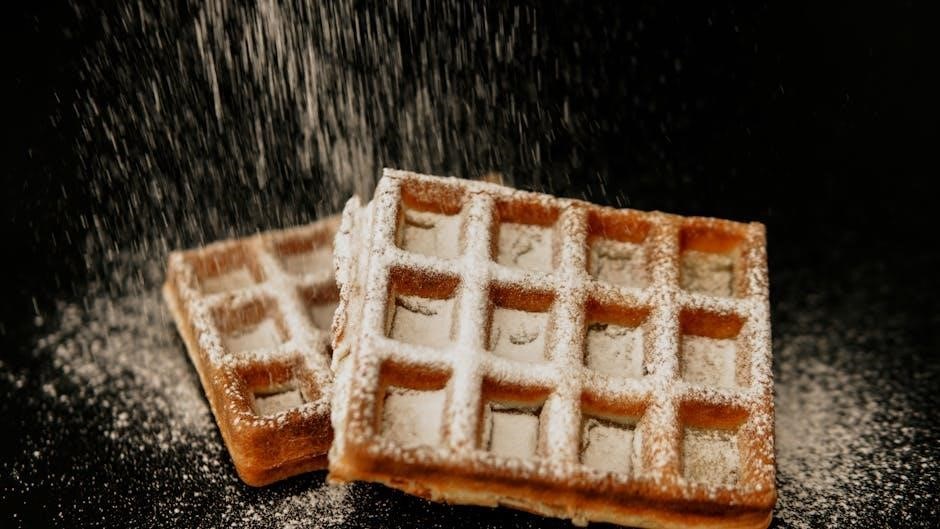
Always ensure the waffle maker is unplugged and completely cool before cleaning the exterior. Wipe down the housing with a damp cloth to remove any batter splatters or food residue. Avoid immersing the unit in water or any other liquid, as this could cause electrical damage. A mild dish soap solution can be used for tougher stains, but be sure to wipe it off thoroughly with a clean, damp cloth. Never use abrasive cleaners, as they can scratch the surface. Regular exterior cleaning maintains the appliance’s appearance and hygiene.
Troubleshooting Common Issues

If waffles stick, ensure the plates are properly seasoned or lightly oiled before each use. For uneven browning, verify the batter is evenly distributed and the waffle maker is on a level surface. Check the temperature setting; adjustments may be needed. If the indicator light isn’t functioning, confirm the unit is securely plugged in. If problems persist, consult the warranty information. Consistent performance relies on proper usage and maintenance, addressing issues promptly ensures optimal waffle-making results and extends the appliance’s lifespan.
Waffles Sticking
Waffles sticking to the plates is a common issue, often resolved with proper preparation. Ensure the waffle plates are thoroughly cleaned and, if necessary, lightly oiled or sprayed with cooking spray before each batch; Allow the waffle maker to fully heat up before pouring batter; this creates a non-stick surface. Avoid using excessive batter, as overflow can cause sticking. If sticking continues, consider gently seasoning the plates – a thin coat of oil baked on can improve release. Never use metal utensils to remove stuck waffles.
Uneven Browning
If your waffles exhibit uneven browning, several factors could be at play. Ensure the batter is consistently mixed, avoiding lumps that cook at different rates. Verify the waffle maker is placed on a level surface for even heat distribution. Some models demonstrate “Very Good” evenness, but adjustments may still be needed. Experiment with the temperature control; a slightly lower setting can sometimes promote more uniform cooking. Avoid opening the waffle maker mid-cycle, as this releases heat and disrupts the browning process. Rotate the waffle maker if possible.
Indicator Light Problems
If the indicator light isn’t functioning correctly, first ensure the waffle maker is properly plugged into a working outlet. A light that doesn’t illuminate may simply indicate the unit isn’t receiving power. If the light remains on constantly, even after reaching temperature, there might be a malfunction with the thermostat or control panel. Discontinue use and avoid attempting repairs yourself. Contact Black & Decker customer support or a qualified appliance technician for assistance. Do not operate the waffle maker if the indicator light is erratic or absent.
Waffle Maker Variations & Models
Black & Decker offers diverse waffle maker options, including the versatile 3-in-1 model functioning as a waffle maker, indoor grill, and griddle. These multi-functional units provide cooking flexibility. Notably, some Black & Decker products, like the BCHB101 Cordless Cocktail Maker, are related but distinct appliances. Understanding your specific model is crucial; instructions vary. Always refer to the manual accompanying your Black & Decker appliance. Genuine accessories, such as batter pouring cups, enhance usability, while compatibility with other products should be verified before use.
3-in-1 Waffle Maker/Grill/Griddle
The Black & Decker 3-in-1 appliance offers exceptional versatility. Beyond waffles, it functions as an indoor grill for meats and vegetables, and a griddle for pancakes or eggs. Each function requires specific plate configurations, detailed in the manual. Ensure proper plate attachment before use. Cleaning procedures differ slightly depending on the cooking mode; remove food residue thoroughly after each use. This model’s even browning performance is rated as “Very Good,” but optimal results depend on following the provided instructions for each function.
Cordless Cocktail Maker Compatibility (Related Products)
While seemingly unrelated, Black & Decker offers the Bev by Black & Decker Cordless Cocktail Maker (BCHB101). This portable beverage system isn’t directly compatible with the waffle maker, but represents Black & Decker’s broader range of kitchen appliances. Consider it for convenient drink preparation alongside your waffle breakfasts! Exploring their product line reveals a commitment to simplifying kitchen tasks. Remember to consult separate manuals for each appliance, as operation and safety guidelines are unique to each product.
Accessories & Replacement Parts

Enhance your waffle-making experience with available accessories! A genuine Black & Decker Batter Pouring Cup simplifies batter distribution, minimizing mess and ensuring even waffle coverage. Depending on the model, replacement waffle plates might be available, extending the life of your appliance and restoring non-stick performance. Check the Black & Decker website or authorized retailers for compatible parts. Waring also offers compatible batter cups (Waring 033106), suitable for some Black & Decker models, providing an alternative sourcing option for this useful tool.
Batter Pouring Cup
A Batter Pouring Cup is a highly recommended accessory for your Black & Decker waffle maker. It allows for precise and mess-free batter distribution onto the hot plates, resulting in consistently shaped and evenly cooked waffles. Using a cup prevents overfilling and batter spillage, simplifying the cooking process and cleanup. Genuine Black & Decker cups are designed for optimal fit, but Waring 033106 batter cups, originally for Waring Pro models, are often compatible. This small addition significantly improves waffle-making convenience and results.
Replacement Waffle Plates (If Available)
Checking for replacement waffle plates is crucial for extending the life of your Black & Decker waffle maker. Over time, the non-stick coating can wear, or plates may become damaged. While not all models offer readily available replacements, investigating compatibility with similar Black & Decker units is worthwhile. Regularly inspect your plates for significant wear; replacing them restores optimal performance and prevents waffles from sticking. Contact Black & Decker customer support or authorized retailers to inquire about availability for your specific model number.
Warranty Information
Black & Decker typically offers a limited warranty on their waffle makers, covering manufacturing defects in materials and workmanship. The standard warranty period is often one year from the date of purchase, but can vary by model and region. Retain your proof of purchase (receipt) as it’s required for warranty claims. The warranty doesn’t cover damage from misuse, accidents, or normal wear and tear. To initiate a claim, contact Black & Decker customer service, providing your model number and purchase details. Review the full warranty terms on their official website.
Disposal Considerations
When your Black & Decker waffle maker reaches the end of its life, responsible disposal is crucial. Do not simply discard it with household waste. Electronic waste (e-waste) contains hazardous materials. Check with your local municipality for e-waste recycling programs or designated drop-off locations. Many retailers also offer recycling services for small appliances. Following local regulations ensures environmentally sound disposal. Consider donating the waffle maker if it’s still functional, extending its lifespan and reducing landfill waste. Prioritize recycling to conserve resources.
Responsible Recycling
Properly recycling your Black & Decker waffle maker minimizes environmental impact. E-waste contains valuable materials that can be recovered and reused. Locate local e-waste recycling centers through municipal websites or Earth911.com. Disassemble the unit only if instructed by the recycling facility; improper handling can release harmful substances. Remove any detachable parts before recycling. Recycling conserves resources, reduces landfill burden, and prevents pollution. Prioritize facilities certified to handle e-waste responsibly, ensuring safe and ethical processing of your appliance’s components.
Following Local Regulations

Disposal of electrical appliances is subject to local and national regulations. Many areas prohibit discarding e-waste with regular trash. Check your municipality’s guidelines for specific instructions on appliance disposal or recycling programs. Some regions offer curbside e-waste pickup, while others require drop-off at designated collection sites. Ignoring these regulations can result in fines or environmental damage. Always comply with local laws to ensure responsible disposal and contribute to a sustainable environment when retiring your Black & Decker waffle maker.
Leave a Reply
You must be logged in to post a comment.