
Ionvac SmartClean 2000 Robovac Manual: A Comprehensive Guide
This comprehensive guide details the Tzumi Ionvac Smartclean RoboVac 2000, offering instructions for safe operation, maintenance, and accessing the PDF user manual.
The Ionvac SmartClean 2000 represents a significant upgrade in robotic vacuum technology, building upon the features of its predecessor. This intelligent cleaning solution is designed to effortlessly maintain the cleanliness of your floors, offering convenience and efficiency. This user manual serves as your complete resource for understanding and maximizing the capabilities of your new robovac.
Within these pages, you’ll find detailed instructions covering everything from initial setup and operation to advanced features like smart mapping and scheduling. The Ionvac SmartClean 2000 boasts gyroscopic smart mapping navigation, ensuring thorough coverage of your home. Access to the PDF version of this manual provides a readily available reference for all your cleaning needs. Enjoy a cleaner home with minimal effort!
Unboxing and Component Checklist
Upon opening your Ionvac SmartClean 2000 package, carefully verify that all components are present and undamaged. Your robovac includes the main unit, a charging base, a power adapter, and a remote control. Also included are essential accessories: a side brush, a HEPA filter, and a cleaning tool.
Refer to the included documentation, or the downloadable PDF user manual, for a detailed diagram illustrating each component. Ensure the dustbin is properly installed within the unit. If any items are missing or appear damaged, immediately contact customer support. Proper component verification ensures optimal performance and a hassle-free cleaning experience with your new Ionvac robotic vacuum.
Safety Precautions and Warnings
Important safety guidelines must be followed when operating your Ionvac SmartClean 2000. This device is for indoor use only; avoid operating it outdoors or in wet environments. Keep the charging base away from water sources.
Never allow children or pets to play with the robovac or its accessories. Always disconnect the power adapter before cleaning or maintaining the unit. Do not attempt to disassemble or repair the device yourself; refer to the PDF user manual for troubleshooting. Be cautious of potential tripping hazards created by the robovac during operation. Adhering to these precautions ensures safe and reliable performance.

Setting Up Your Robovac
Proper setup involves charging, connecting to Wi-Fi, and understanding the control panel for optimal performance of your Ionvac SmartClean 2000.
Charging the Ionvac SmartClean 2000
Before first use, it’s crucial to fully charge your Ionvac SmartClean 2000. Locate the charging base and connect it to a power outlet. Ensure the contacts on both the robovac and the charging base are clean and unobstructed for a stable connection.
To charge, simply place the robovac onto the charging base, aligning the charging contacts. A light indicator on the robovac will illuminate, signifying it is charging. Allow approximately 4-5 hours for a complete charge. The indicator light will typically change color or turn off when fully charged.
For optimal battery life, it’s recommended to allow the robovac to fully charge before each cleaning cycle. Avoid interrupting the charging process. The robovac can automatically return to the charging base when the battery is low, if Smart Mapping is enabled.
Initial Setup and Wi-Fi Connection
Download the companion app to your smartphone or tablet – this is essential for utilizing the Ionvac SmartClean 2000’s smart features. Create an account or log in if you already have one. Follow the in-app instructions to add your robovac.
To connect to Wi-Fi, ensure your smartphone is connected to a 2.4 GHz Wi-Fi network. The app will guide you through the pairing process, which typically involves pressing and holding a button on the robovac to initiate pairing mode.
Successful connection allows remote control, scheduling, and access to advanced features like smart mapping and firmware updates. Refer to the PDF user manual for detailed troubleshooting steps if the connection fails.
Understanding the Control Panel
The Ionvac SmartClean 2000 features an intuitive control panel with several key buttons. The ‘Clean’ button initiates auto cleaning mode, while ‘Spot’ activates focused cleaning in a specific area. ‘Edge’ mode directs the robovac to clean along walls and corners efficiently.
A ‘Max’ power button boosts suction for deeper cleaning on carpets or heavily soiled areas. The ‘Home’ button sends the robovac back to its charging dock. Indicator lights display battery status, error messages, and Wi-Fi connection status.
Consult the PDF user manual for a detailed diagram and explanation of each button and indicator light. Understanding these controls is crucial for maximizing the robovac’s performance.
Operation and Cleaning Modes
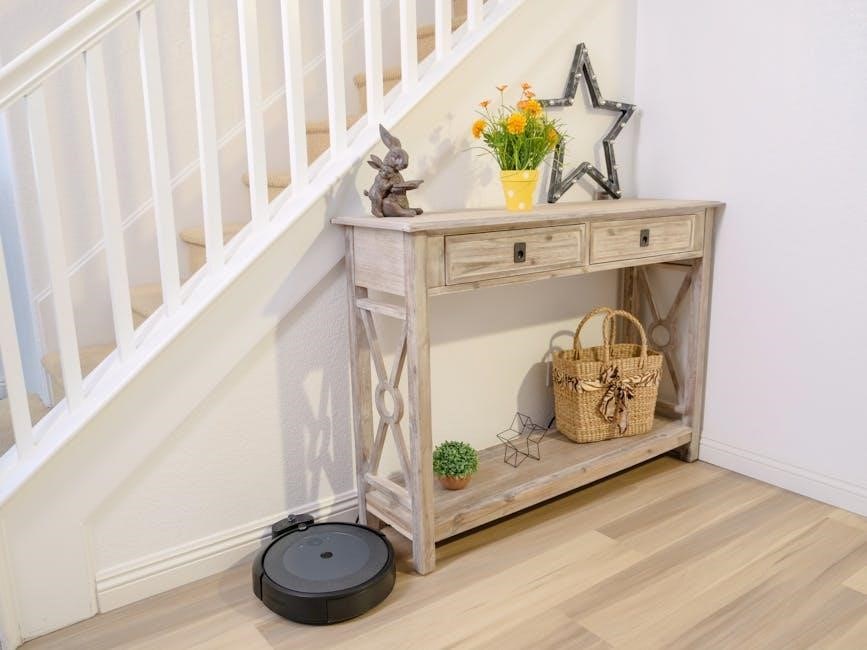
The Ionvac SmartClean 2000 offers versatile cleaning modes: Auto, Spot, Edge, and Max Power, adapting to various floor types and cleaning needs.
Auto Cleaning Mode
Auto Cleaning Mode is the Ionvac SmartClean 2000’s default setting, designed for comprehensive floor coverage. Utilizing its upgraded gyroscopic smart mapping navigation technology, the robovac systematically cleans rooms, efficiently maneuvering around obstacles and furniture.
This mode intelligently adjusts cleaning paths, ensuring thorough coverage across hard floors and carpets. The robovac will automatically detect and navigate around furniture legs, walls, and other obstructions, optimizing cleaning efficiency. It’s ideal for daily maintenance and general cleaning tasks, providing a hands-free experience.
Simply press the ‘Auto Clean’ button on the control panel or within the companion app to initiate this mode. The robovac will then autonomously clean until the battery is low or manually stopped.
Spot Cleaning Mode
Spot Cleaning Mode on the Ionvac SmartClean 2000 is perfect for concentrated cleaning of small, localized messes. Activate this mode when you need to quickly address spills, crumbs, or debris in a specific area. The robovac will focus its cleaning power on a roughly 3-foot diameter zone.
To initiate, place the robovac near the mess and press the ‘Spot Clean’ button. It will then spiral outwards, meticulously cleaning the targeted area with increased suction power. This mode is especially useful for high-traffic zones or under furniture where messes frequently accumulate.
Once the area is cleaned, the robovac will automatically return to its starting point and cease operation, conserving battery life.
Edge Cleaning Mode
Edge Cleaning Mode on your Ionvac SmartClean 2000 is designed to thoroughly clean along walls and around furniture, areas often missed during standard auto cleaning. This mode ensures no dust bunnies linger in corners or along baseboards.
When activated, the robovac will systematically follow the perimeter of your room, utilizing its side brushes to sweep debris into its path. It moves slowly and deliberately, maximizing contact with edges for a comprehensive clean. This is ideal for homes with significant wall-adjacent dust buildup.
Press the designated ‘Edge Clean’ button to start. The robovac will complete a full perimeter clean before automatically shutting off.
Max Power Mode
Max Power Mode on the Ionvac SmartClean 2000 delivers increased suction for deep cleaning on carpets and rugs, tackling embedded dirt and debris. This mode is perfect for high-traffic areas or homes with pets, where extra cleaning power is essential.
Activating Max Power Mode will noticeably increase the robovac’s motor speed and suction intensity. Be aware that this also reduces battery life, so use it strategically for areas needing intensive cleaning. The robovac will automatically adjust back to standard power once the mode is complete or the battery is low.
Select ‘Max’ on the control panel to engage this powerful cleaning function.

Maintenance and Troubleshooting
Regular maintenance ensures optimal performance of your Ionvac SmartClean 2000. This section covers dustbin cleaning, filter replacement, brush care, and error code solutions.
Cleaning the Dustbin
Regularly emptying the dustbin is crucial for maintaining the Ionvac SmartClean 2000’s suction power and cleaning efficiency. After each use, or when the dustbin is full, power off the robovac and remove the dustbin. Press the release button to detach it from the unit.
Carefully open the dustbin, avoiding any spillage of collected debris. Empty the contents into a trash receptacle. For a more thorough cleaning, you can wash the dustbin with water; ensure it is completely dry before re-installing it. Inspect the dustbin for any blockages or obstructions and remove them. A clean dustbin guarantees optimal performance and extends the lifespan of your Ionvac.
Remember to re-secure the dustbin properly, ensuring it clicks into place before resuming operation. Consistent dustbin maintenance is a key aspect of robovac care.
Replacing Filters
Maintaining clean filters is essential for the Ionvac SmartClean 2000’s performance and air quality. Filters trap dust and allergens, and become less effective when clogged. The frequency of filter replacement depends on usage, but generally, replace them every 2-3 months.
To access the filters, locate the filter compartment (refer to the user manual for specific location). Remove the old filter and discard it. Insert a new, compatible filter, ensuring it’s properly seated. A secure fit prevents dust from bypassing the filter.
Regular filter replacement ensures optimal suction, prevents motor strain, and keeps your home air cleaner. Using non-genuine filters may damage the unit. Always use official Ionvac replacement filters for best results.
Cleaning the Brushes
Regular brush cleaning is vital for the Ionvac SmartClean 2000’s effective cleaning performance. Hair, fibers, and debris can easily become tangled around the main brush and side brushes, reducing their efficiency. Turn off the robovac before cleaning.
Remove the brush cover and carefully extract the main brush; Use the included cleaning tool (or scissors) to cut and remove any tangled hair or fibers. Wipe the brush with a dry cloth. Repeat this process for the side brushes, ensuring they spin freely.
Clean brushes ensure optimal pickup and prevent motor strain. Inspect brushes for damage and replace if necessary. A well-maintained brush system contributes significantly to a cleaner home.
Troubleshooting Common Issues (Error Codes)
The Ionvac SmartClean 2000 may display error codes indicating specific problems. A common issue is brush entanglement, signaled by a flashing brush icon – immediately stop and clean the brushes. If the robovac gets stuck, check for obstacles and reposition it.
Low battery often triggers a red light; return the unit to the charging dock. Wheel errors, indicated by erratic movement, may require cleaning the wheels. Consult the PDF user manual for a complete list of error codes and their solutions.
Troubleshooting often involves simple fixes. If problems persist, contact customer support for assistance. Regular maintenance minimizes error occurrences.
Advanced Features
The Ionvac SmartClean 2000 boasts smart mapping, scheduling, remote control, and firmware updates via the PDF user manual for optimal performance.
Smart Mapping Navigation Technology
The Ionvac SmartClean 2000 utilizes gyroscopic smart mapping navigation, a significant upgrade from previous models. This advanced technology allows the robovac to systematically navigate your home, creating an efficient cleaning path. Unlike random bouncing robots, the SmartClean 2000 intelligently maps rooms, avoiding obstacles and ensuring comprehensive coverage.
This mapping feature isn’t just about avoiding furniture; it enables targeted cleaning. You can define specific zones within the app (accessed via the PDF user manual) for focused cleaning or exclude areas you want the robovac to avoid. The gyroscopic sensors work in tandem to provide accurate positioning and prevent the unit from getting lost or stuck. Regularly consulting the user manual will help you maximize the benefits of this sophisticated navigation system.
Scheduling Cleaning Sessions
The Ionvac SmartClean 2000 offers convenient scheduling capabilities, allowing you to automate your cleaning routine. Through the companion app – details for connecting are found in the PDF user manual – you can set specific days and times for the robovac to begin cleaning. This feature is ideal for maintaining a consistently clean home without manual intervention.
You can create multiple schedules to suit your lifestyle, perhaps a daily light clean and a more thorough cleaning on weekends. The app allows for customization, letting you select cleaning modes (Auto, Spot, Edge) for each scheduled session. Refer to the manual for detailed instructions on setting up and managing schedules, ensuring your SmartClean 2000 cleans when you want it to, optimizing its performance and your free time.
Remote Control Operation
The Ionvac SmartClean 2000 can be directly controlled using the included remote control, offering a convenient alternative to the mobile app. The remote allows you to start, pause, and stop cleaning cycles, as well as direct the robovac’s movement using directional buttons. This is particularly useful for targeted cleaning or navigating tricky areas.
Refer to the PDF user manual for a detailed diagram of the remote control’s buttons and their corresponding functions. You can also select cleaning modes – Auto, Spot, Edge, and Max – directly from the remote. While the app provides advanced features like scheduling, the remote offers immediate, manual control, ensuring you can easily manage your cleaning needs without relying on a smartphone connection.
Firmware Updates and the User Manual (PDF)
To ensure optimal performance of your Ionvac SmartClean 2000, regularly check for firmware updates through the companion mobile app. These updates often include improvements to the smart mapping navigation technology and bug fixes. The app will notify you when a new version is available, guiding you through the simple installation process.
A comprehensive PDF version of the user manual is readily accessible for download from the manufacturer’s website. This manual provides detailed instructions, troubleshooting tips, and safety precautions. Keeping a digital copy allows for easy reference and ensures you have access to all the information needed to maximize your robovac’s capabilities.
Technical Specifications
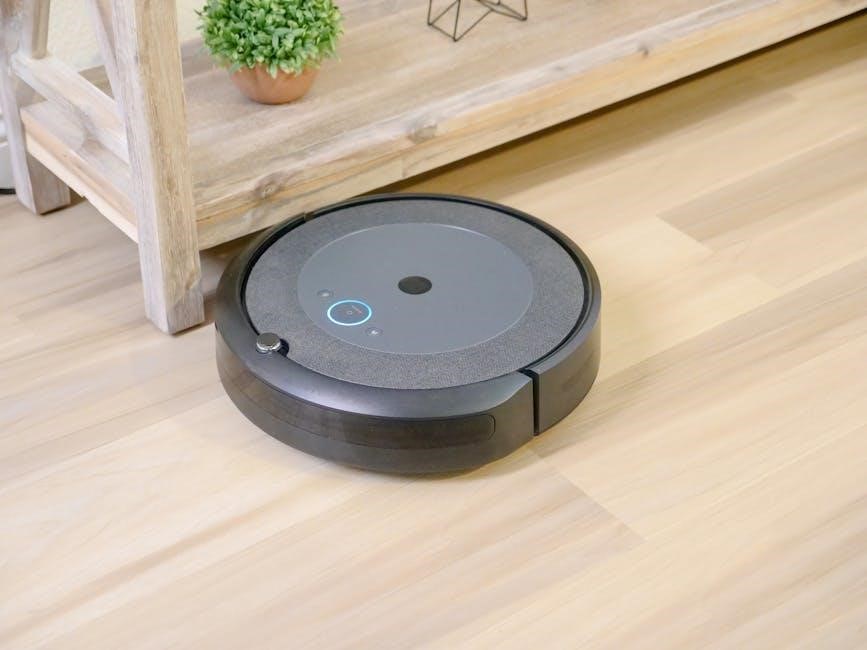
Detailed specifications include battery information, dimensions, weight, and power consumption details for the Ionvac SmartClean 2000, alongside warranty information.
Battery Information
The Ionvac SmartClean 2000 utilizes a high-capacity lithium-ion battery, designed for extended cleaning cycles. Expect approximately 100-120 minutes of runtime on a full charge, varying based on selected cleaning mode and floor surface. A full recharge typically takes between 4-5 hours.
Important considerations include avoiding extreme temperatures, as they can impact battery performance and lifespan. Regular use and consistent charging are recommended to maintain optimal battery health. Overcharging will not occur due to the intelligent charging system.
Battery replacement should be performed by qualified personnel to ensure safety and proper functionality. Contact customer support for assistance with battery-related inquiries or replacements. Always dispose of used batteries responsibly, following local regulations.
Dimensions and Weight
The Ionvac SmartClean 2000 boasts a compact design, enabling it to navigate easily under furniture and into tight spaces. Its circular shape measures approximately 13.4 inches (34 cm) in diameter and stands 3.1 inches (8 cm) in height. These dimensions allow for versatile cleaning in various home environments.
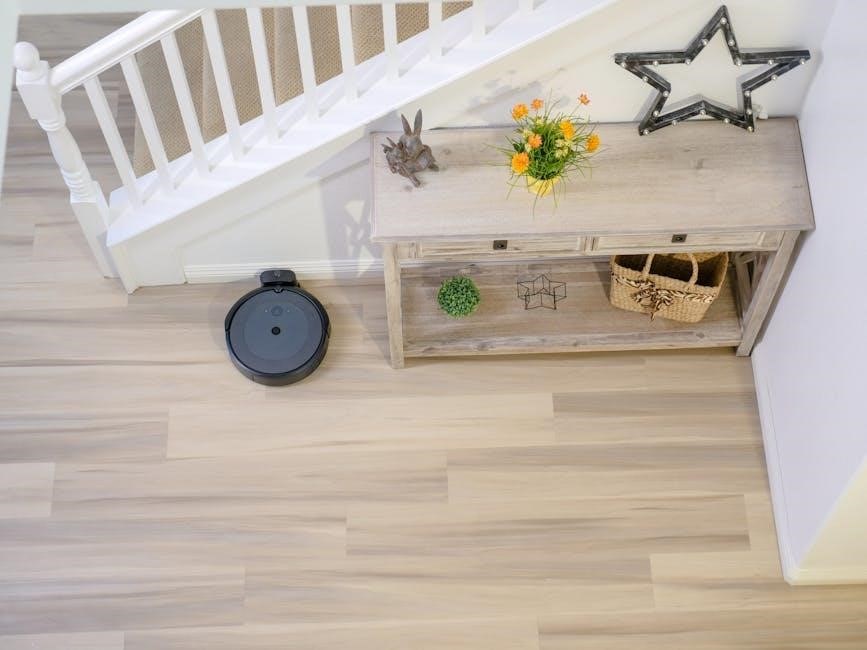
Regarding weight, the robovac tips the scales at roughly 6.6 pounds (3 kilograms). This lightweight construction contributes to its maneuverability and ease of transport between rooms. The low profile ensures it can access areas often missed by traditional vacuum cleaners.
These specifications are crucial for assessing whether the SmartClean 2000 will fit comfortably within your home’s layout and cleaning needs.
Power Consumption
The Ionvac SmartClean 2000 is designed with energy efficiency in mind, balancing powerful cleaning performance with reasonable power usage. Typically, the robovac consumes around 25-30 watts during standard cleaning operations. This relatively low consumption contributes to reduced energy bills and a smaller environmental footprint.
During charging, the power consumption will naturally increase to approximately 40 watts to replenish the battery efficiently. The charging time is around 4-5 hours for a full charge, providing ample runtime for cleaning sessions.
Understanding these power specifications allows users to optimize cleaning schedules and minimize energy waste, ensuring a sustainable cleaning experience.
Warranty Information
The Ionvac SmartClean 2000 robovac is covered by a standard one-year limited warranty from the date of original purchase. This warranty protects against defects in materials and workmanship under normal use. It does not cover damage resulting from misuse, accidents, or unauthorized repairs.
To make a warranty claim, retain your proof of purchase and contact Tzumi customer support. They will guide you through the process, which may involve troubleshooting or returning the unit for inspection.
Please note that the warranty is non-transferable and applies only to the original purchaser. Extended warranty options may be available for purchase separately.
Leave a Reply
You must be logged in to post a comment.